AQ_KB_02:Newland USB scanner does not go into sleep mode. Red marker is always ON
Problem:
When the scanner is placed into his support, the red marker is always on. This is very annoying for the staff.
Solution:
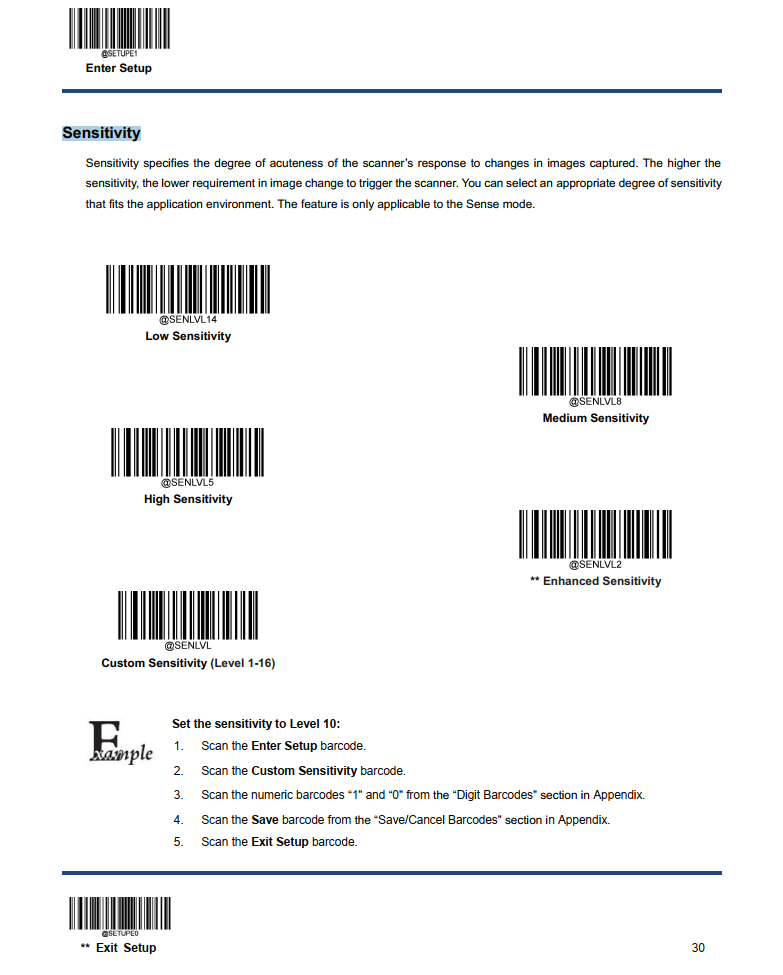
The USB scanner sensitivity threshold is default set to High. Change this to Normal sensitivity. This value works still good to auto scan a tag when holding under under the scanner when he is placed in his support.
Scan first the enter setup barcode, then scan Medium sensitivity and exit the setup by scanning the Exit setup barcode at the end of the configuration page. See configuration page below: